Committed: Sobriety Tracker
A sobriety tracker for your iPhone.
Keep track of your sober days and see your next milestone. Choose a view that feels right to you, with your progress stored on your device and no account to create.
Sobriety tracking is free, with no time limit. Widgets, Apple Watch support, and other premium features are available through the optional, one-time Lifetime Unlock.
iOS 18.6 or later · English and Spanish. Coming to Mac with version 3.0.
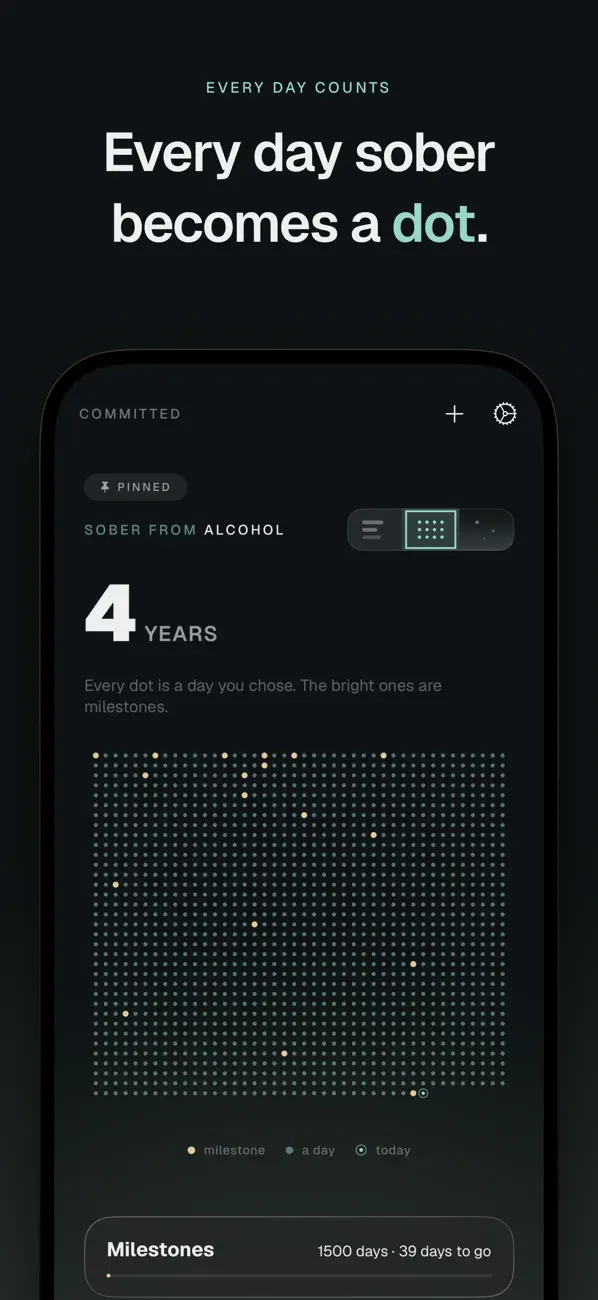
Make the count yours
Three ways to see your progress.
Matrix turns your days into dots. Sky builds a constellation as time passes. Ledger gives you a detailed readout of your elapsed time.
You can track sobriety, quitting nicotine, time away from social media, or another commitment. Choose the wording and visual style that fit.
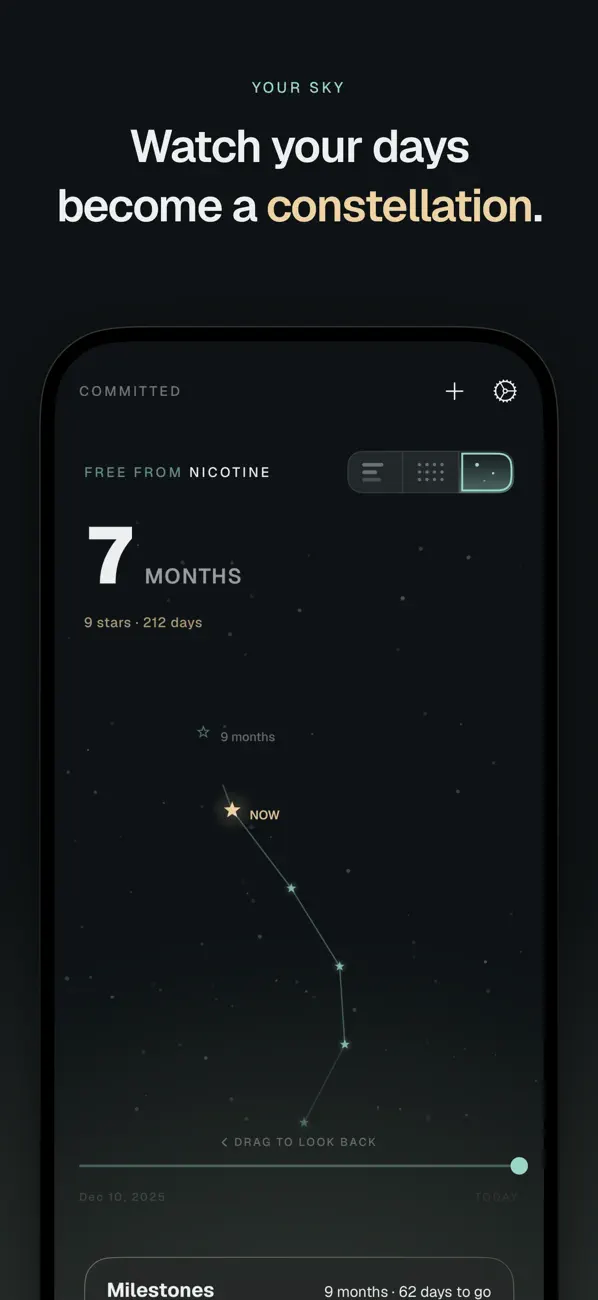
Watch your days form a constellation.
Sky puts your progress and the next milestone in the same view.
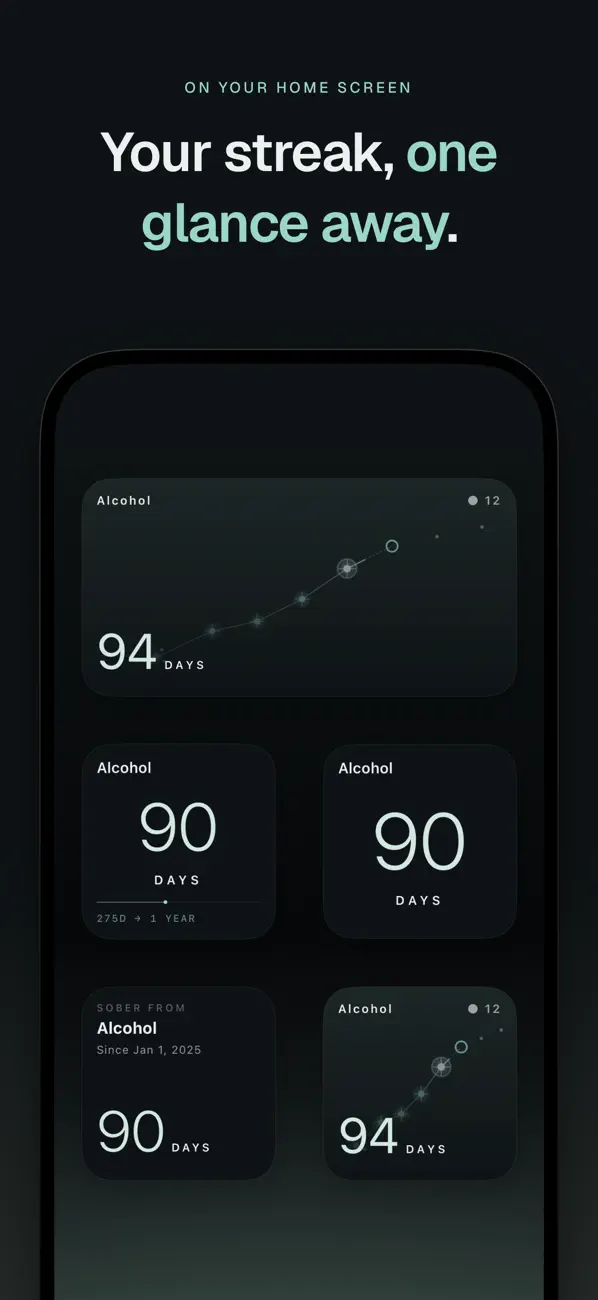
Keep the count on your Home Screen.
Home Screen and Lock Screen widgets are included with Lifetime Unlock.
Free to use
Track for free. Add premium features if you want.
Committed has no subscription or ads.
Free tracking
Enter your start date and keep track of your progress for as long as you like. No purchase is required, and there is no trial period.
Lifetime Unlock One-time purchase
An optional one-time purchase adds these premium features:
- Home Screen and Lock Screen widgets
- Apple Watch app and complications
- Multiple commitments and hidden commitments with Face ID
- Custom milestones
- Private iCloud backup
Your local App Store shows the price in your currency.
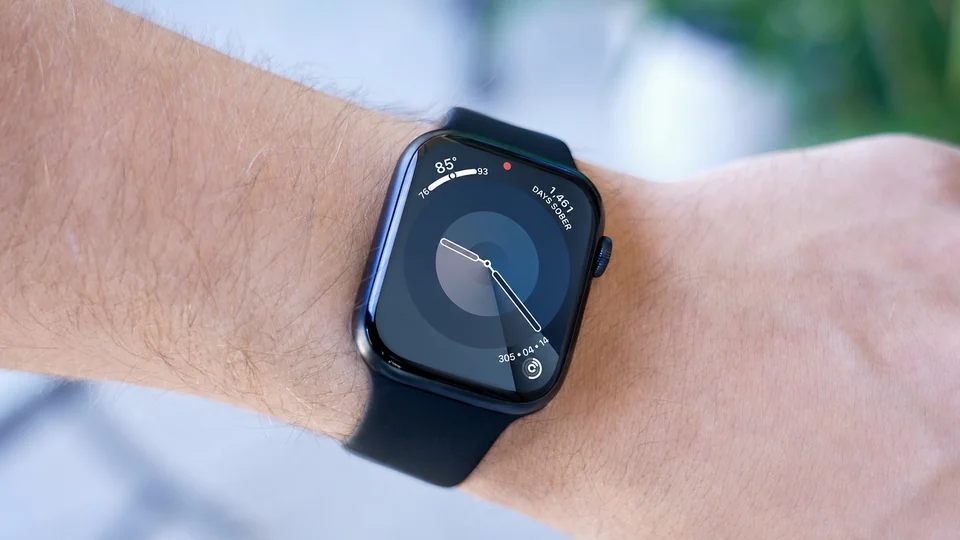
Apple Watch
Your count, on your wrist.
Open the Watch app to check your commitments and milestones, or add a complication to a supported watch face. Apple Watch support is included with Lifetime Unlock and requires watchOS 11.0 or later.
Your information
Use it without creating an account.
Your commitments stay on your devices. If you enable backup, Committed uses your private iCloud account. David Jabech, the developer, cannot view your commitments or retrieve your backup.
The app contains no ads, analytics, or social feed. Hidden commitments can be protected with Face ID.